Autonomous Building Inspection with Unitree Go2
A quadruped robot that autonomously maps buildings, detects safety equipment, and tracks changes between inspection runs using 3D SLAM, frontier exploration, and vision-language segmentation.
- ROS 2
- SLAM
- Nav2
- RTAB-Map
- Computer Vision
- SAM 3
- C++
- Python
- RealSense
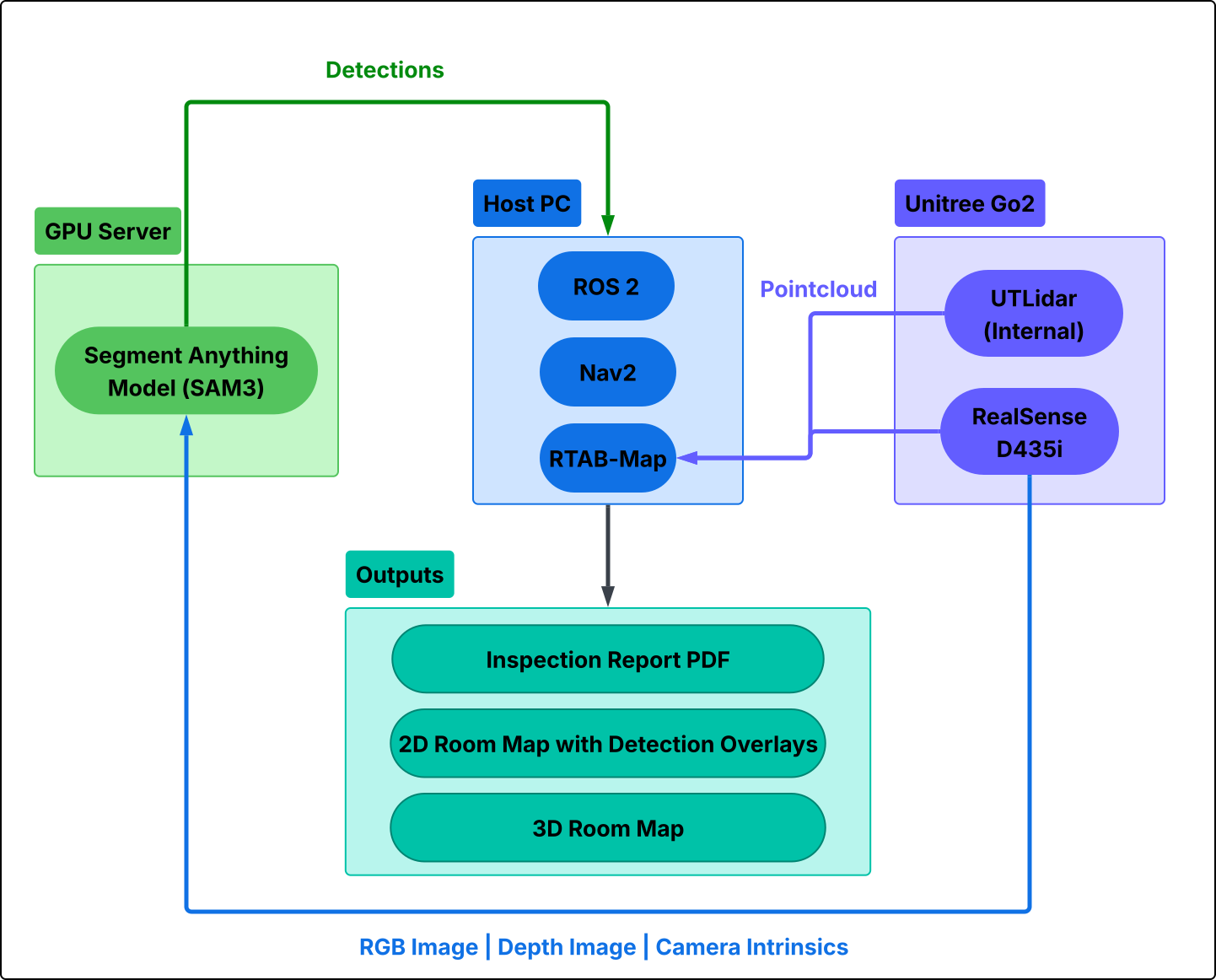
High-level system architecture
Overview
The robot runs on ROS 2 Kilted and is composed of 8 custom C++ nodes, 8 Python scripts, and integrates RTAB-Map (3D SLAM), Nav2 (autonomous navigation), and SAM 3 (vision-language object detection). A single launch file with configurable arguments controls which subsystems are active, supporting workflows from manual teleoperation to fully autonomous inspection with change detection. The entire pipeline is orchestrated by a lifecycle manager script that launches the program, captures all data on shutdown, and produces a self-contained output folder with maps, point clouds, detection logs, and reports.
Mapping & Localization (RTAB-Map)
Supports two RTAB-Map registration strategies and two operating modes.
Lidar-Only ICP Scan Matching
Uses point-to-point ICP registration on 3D lidar scans for odometry and loop closure. This mode is robust in featureless environments (long corridors, blank walls) where visual features are sparse or repetitive. In mapping mode, the robot builds a new map from scratch for initial building surveys. In localization mode, it loads an existing database and re-localizes within it for repeat inspection runs focused on change detection.
Visual + Lidar Mode
Combines RGB feature matching from the RealSense camera with ICP scan matching from the lidar. This produces dense, textured 3D point clouds and improves loop closure detection in visually rich environments. Supports both mapping and localization modes for initial surveys and repeat inspection runs.
Point Cloud Processing
Raw lidar data from the Go2's UTLidar undergoes three-stage filtering before reaching RTAB-Map: height filtering to remove the ground plane and ceiling, voxel grid downsampling at 5cm leaf size to reduce noise, and Euclidean clustering to identify connected obstacle groups and distinguish them from free-space rays.
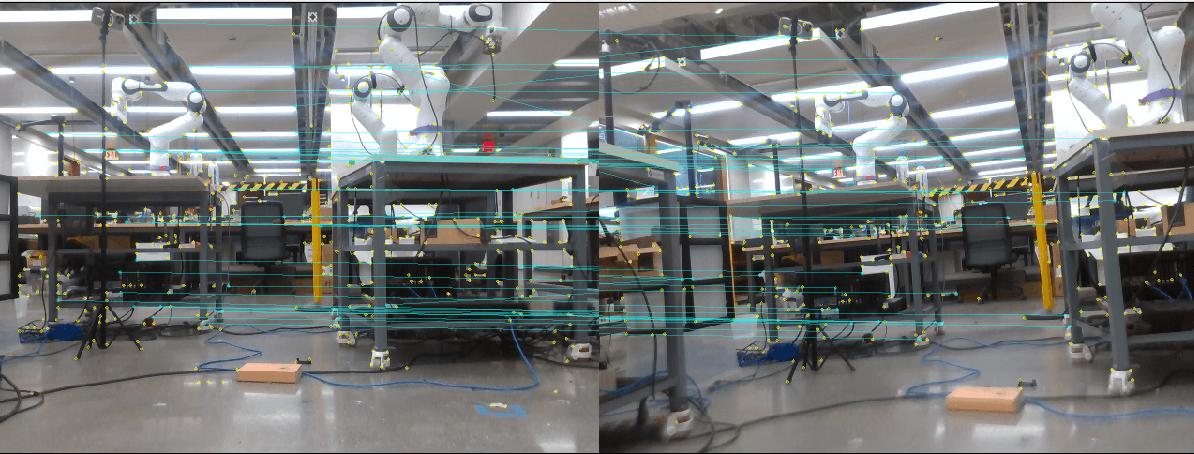
RTAB-Map detecting a loop closure from RealSense RGB-D data.
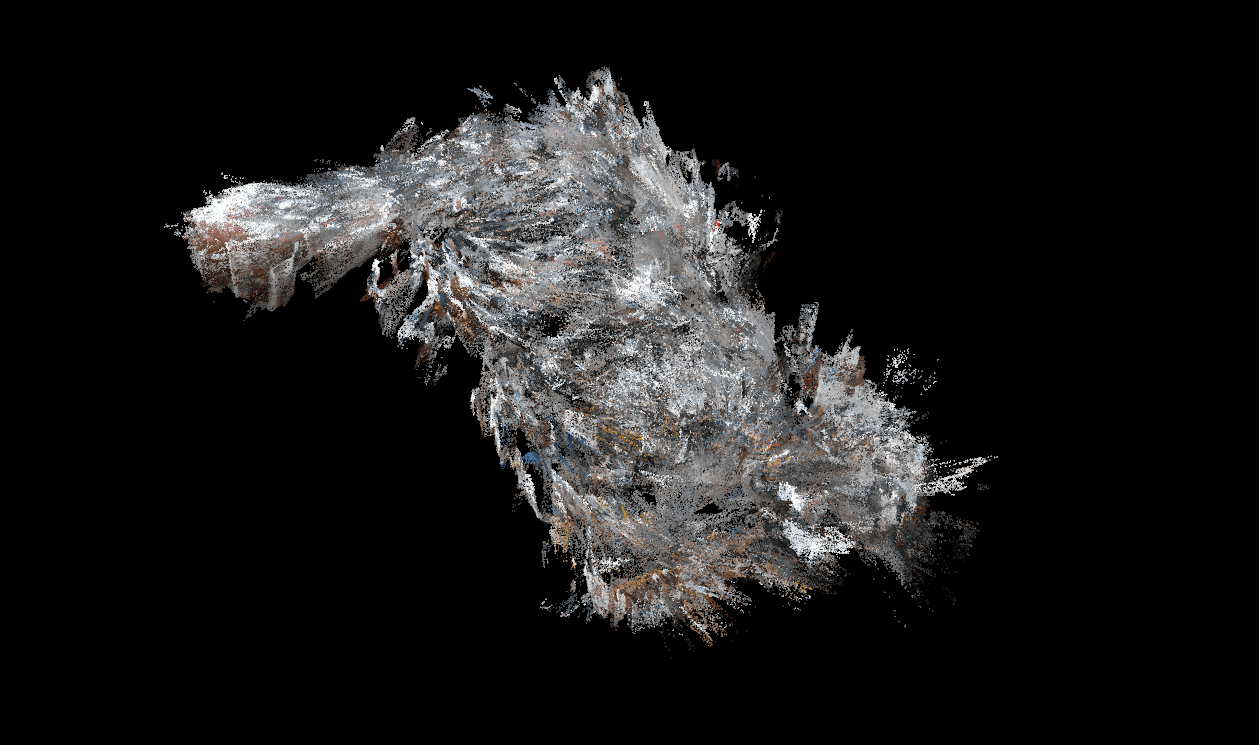
3D point cloud of the mapped environment exported from RTAB-Map.
Autonomous Navigation (Nav2)
Nav2 maintains a 4m x 4m rolling local costmap using lidar and depth camera for reactive obstacle avoidance, plus a global costmap from the RTAB-Map occupancy grid for path planning. The robot footprint is a 40cm x 24cm rectangle with a 20cm inflation radius. The DWB local planner generates velocity commands capped at 0.3 m/s linear and 1.0 rad/s angular, converted to Unitree Sport API format by a custom bridge node with timeout safety.
Visual Inspection (SAM 3)
Every 3 seconds, the inspection node captures synchronized RGB and depth images, sends the RGB frame to a remote SAM 3 server via HTTP, and receives per-object segmentation masks, bounding boxes, confidence scores, and labels for prompted categories. Each 2D detection is projected into 3D using the aligned depth image and camera intrinsics, then transformed into the global map frame via the TF tree, giving each detected object a persistent 3D world position.
SAM 3 segmentation in action: prompted to detect 'tables' and 'exit sign', showing real-time mask generation and bounding boxes on each detected object.
Deduplication & Annotated Overlay
As the robot revisits areas, a spatial deduplication algorithm merges detections of the same label within a configurable distance threshold (1.5m), maintaining a running average of the map position across sightings. The node publishes an annotated image stream with semi-transparent colored segmentation masks, bounding boxes color-coded by change status, and labels with format: [CHANGE_TYPE] label (confidence%). Colors indicate status: NEW (blue), MOVED (orange), UNCHANGED (green).
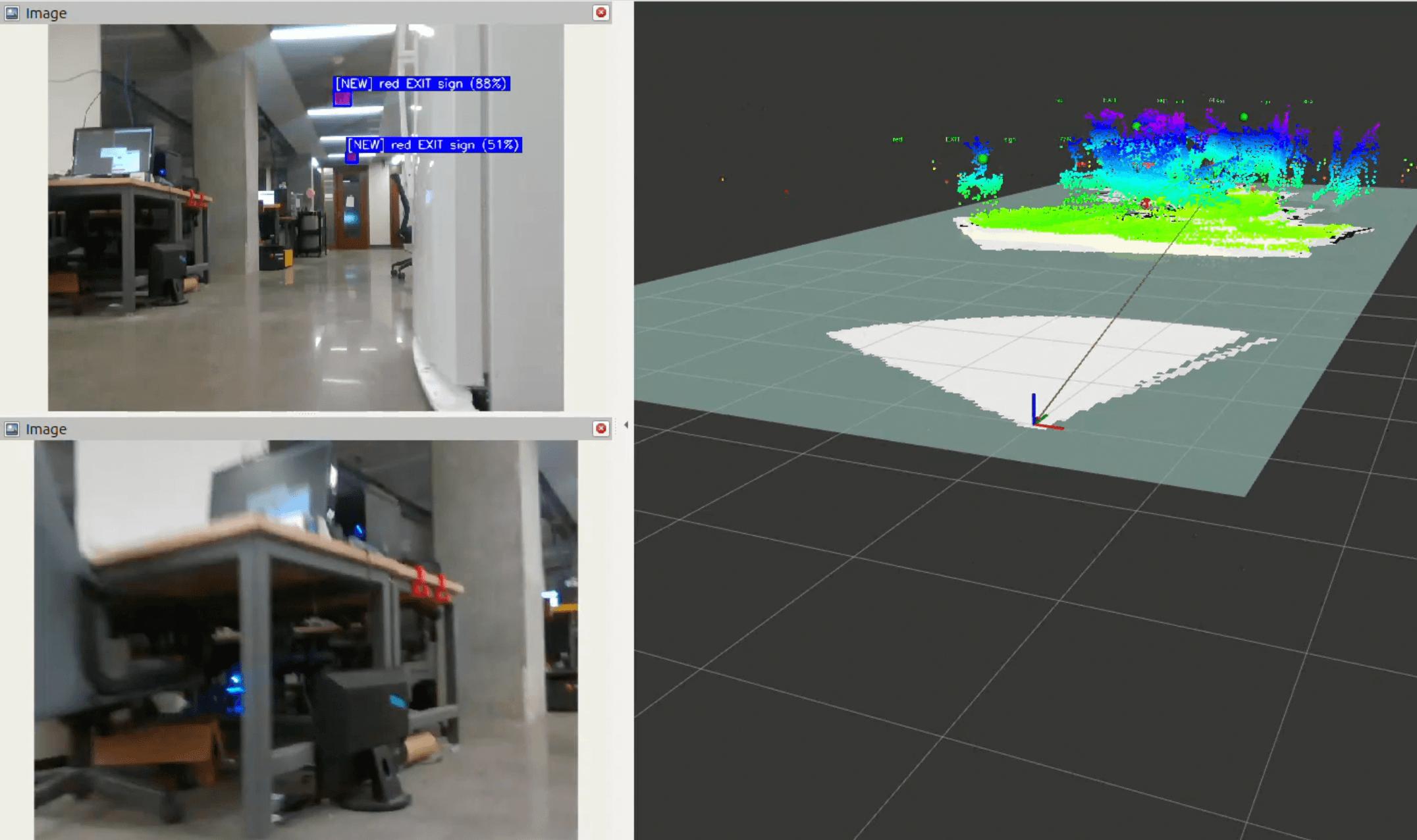
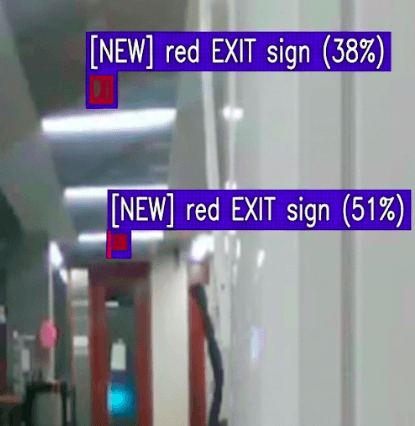
Initial inspection run: SAM 3 segmentation masks and bounding boxes on detected objects.
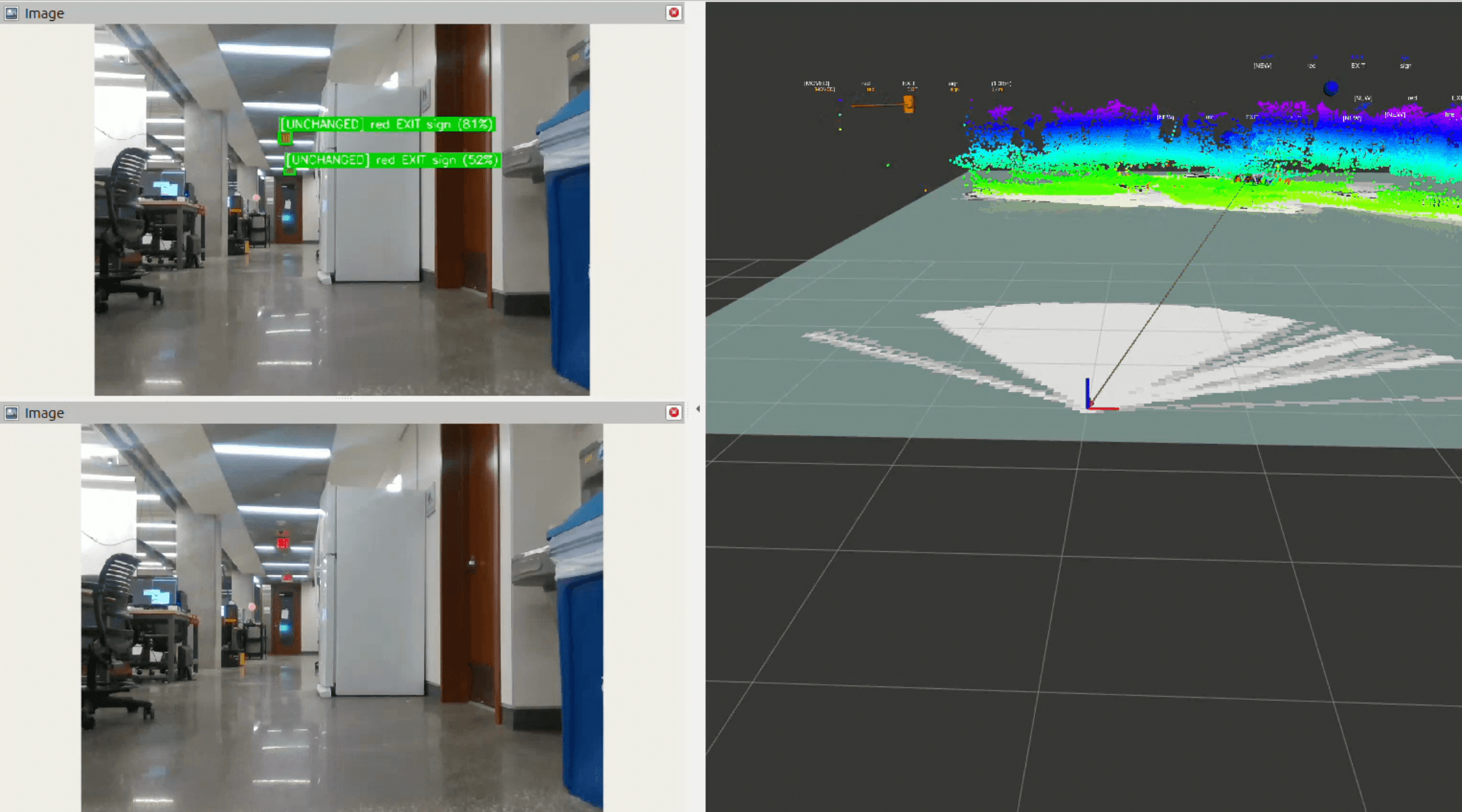
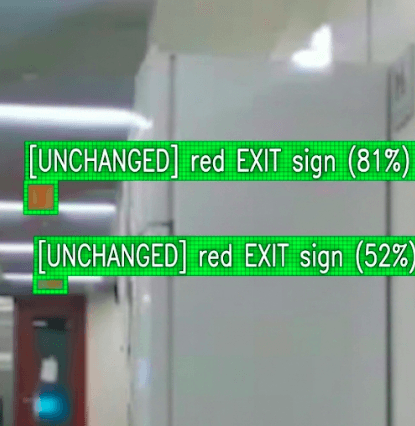
Second run: detections color-coded by change status against the baseline.
Change Detection
When a baseline inspection log is provided, new detections are classified in real-time: UNCHANGED if the same label is found within 1.0m of a baseline position, MOVED if within 2.0m but beyond 1.0m, and NEW if no match is found. Baseline objects not revisited are reported in the final log. A separate change detector node can also compare any two inspection logs offline, publishing 3D RViz markers including arrows indicating movement direction for relocated objects.
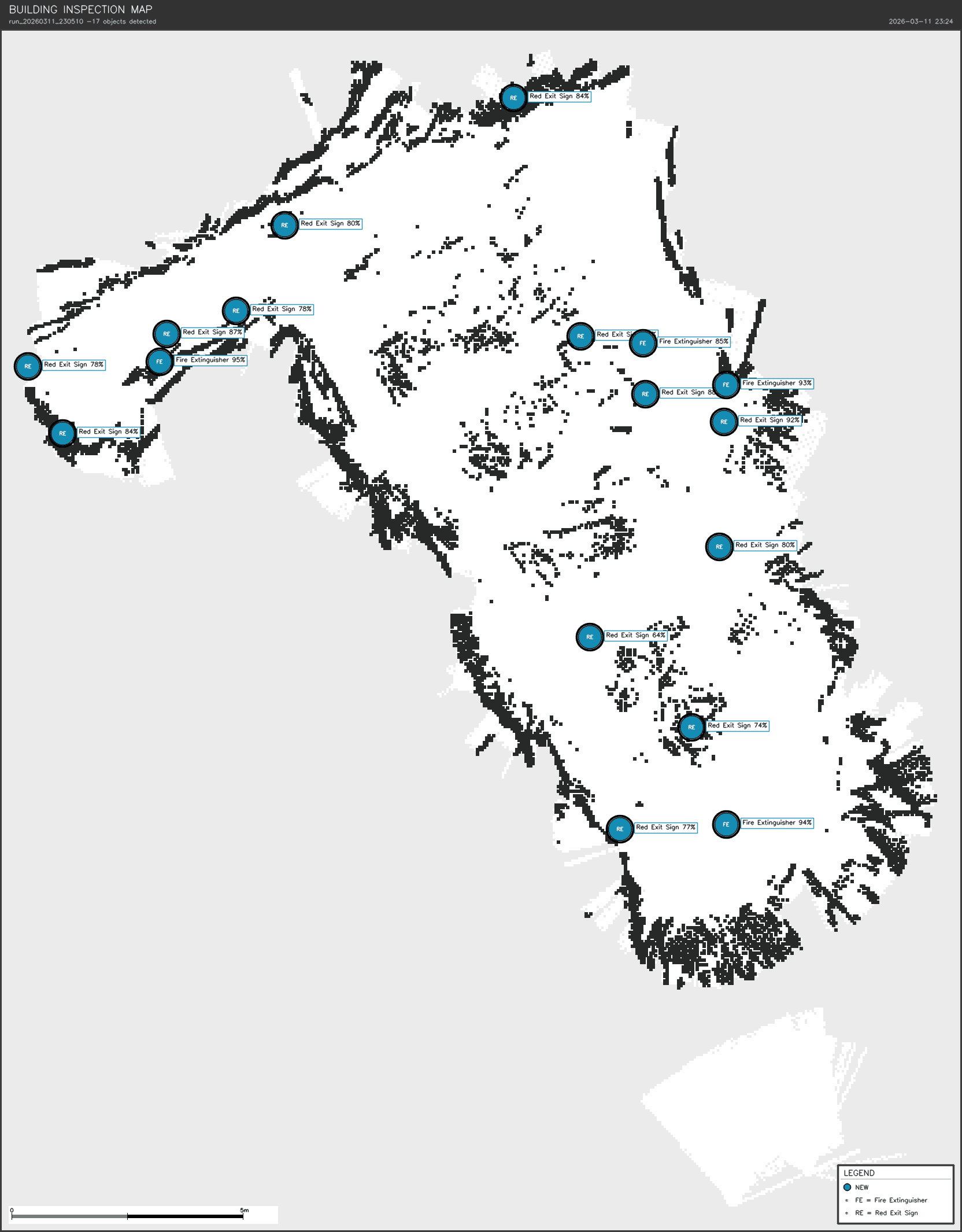
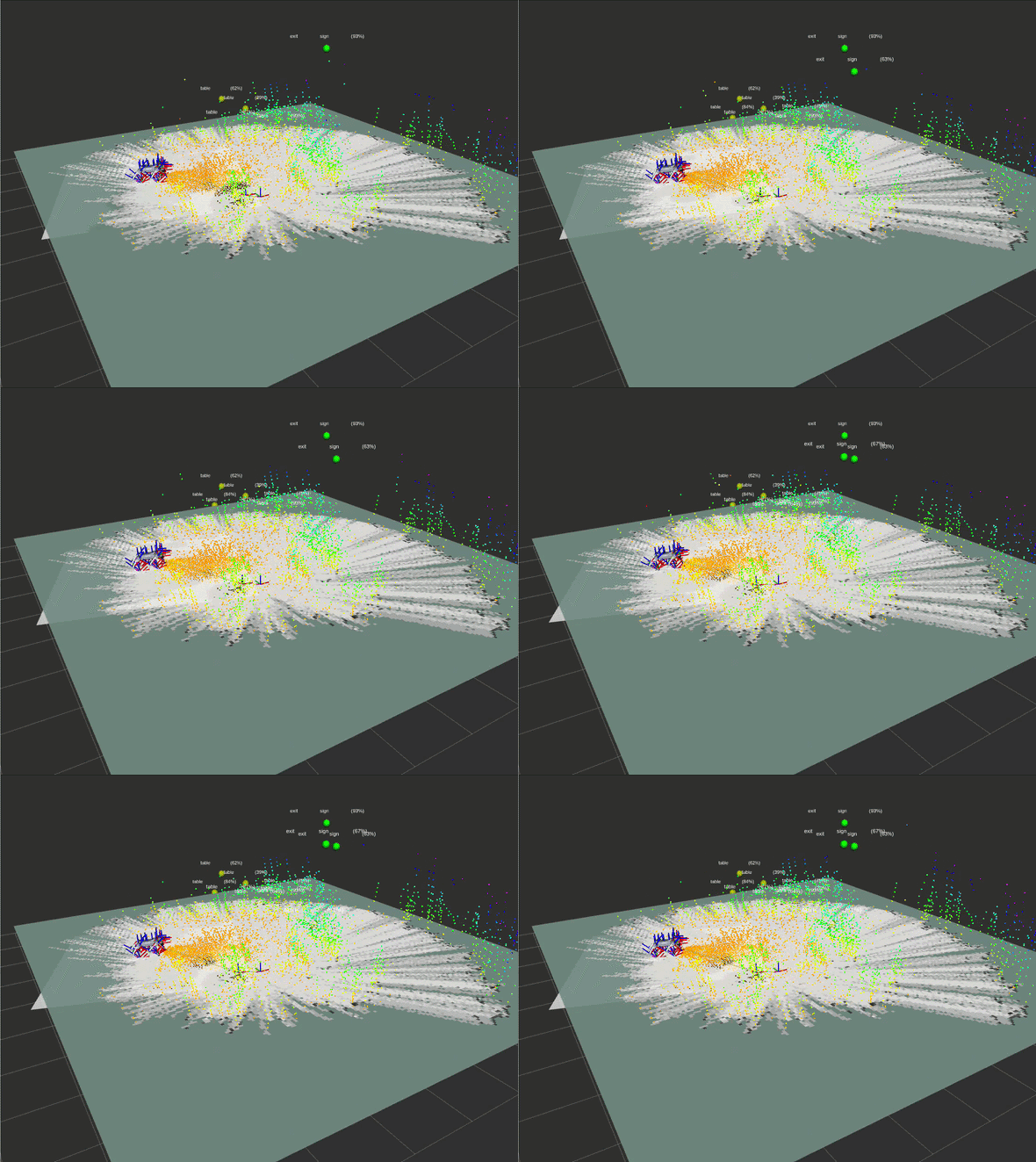
Run 1: all detected objects mapped at their initial positions.
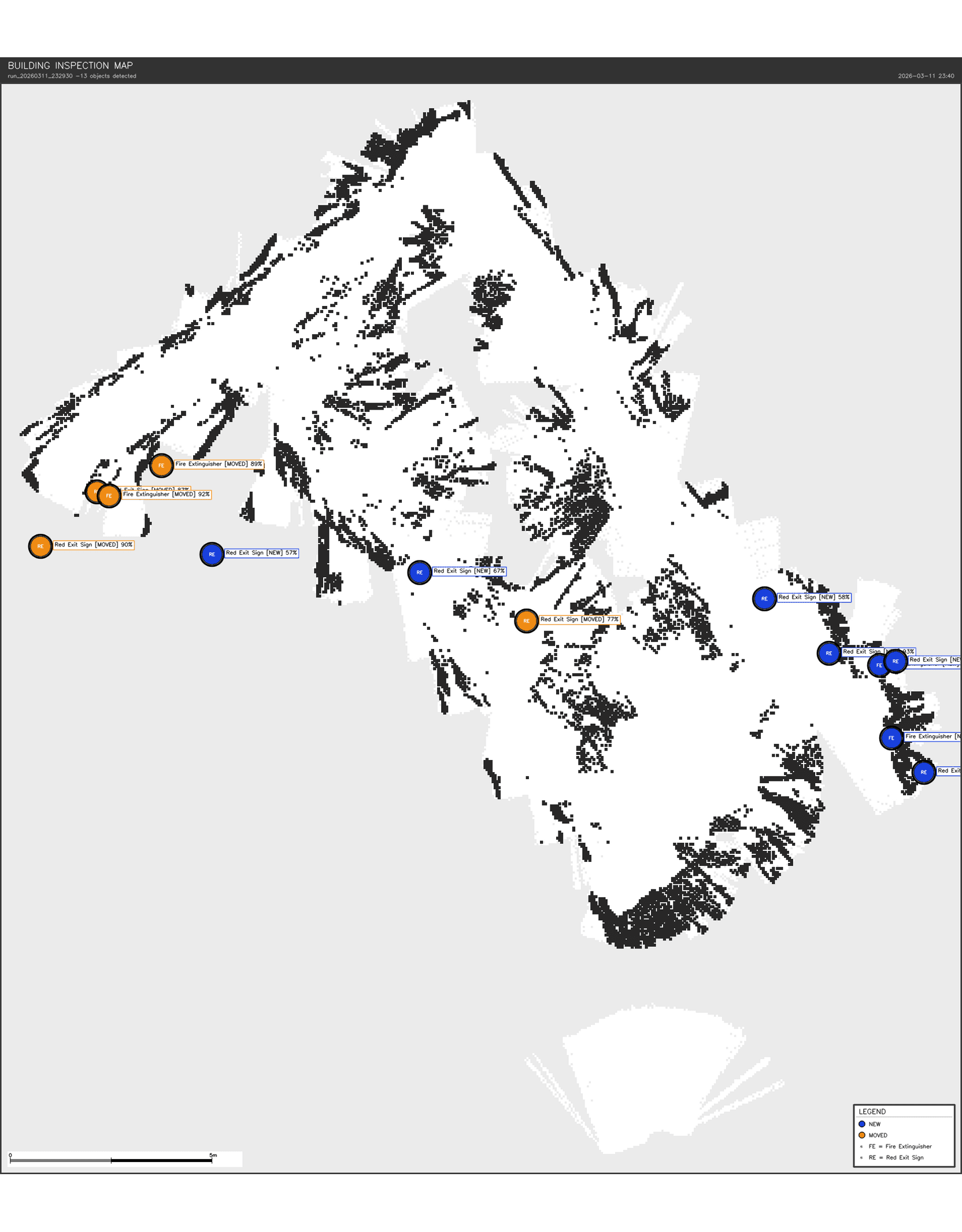
Run 2: change detection active, one fire extinguisher flagged as missing.
Output Pipeline
On shutdown, the lifecycle manager executes a 7-step export pipeline: save the 2D occupancy grid, shut down all ROS nodes, copy the RTAB-Map database for future localization, export the 3D point cloud to PLY format, inject colored marker spheres at detection positions, generate a 2D building floor plan PNG with labeled markers, and produce a PDF inspection report with change comparison statistics. Everything is collected into a timestamped output folder.
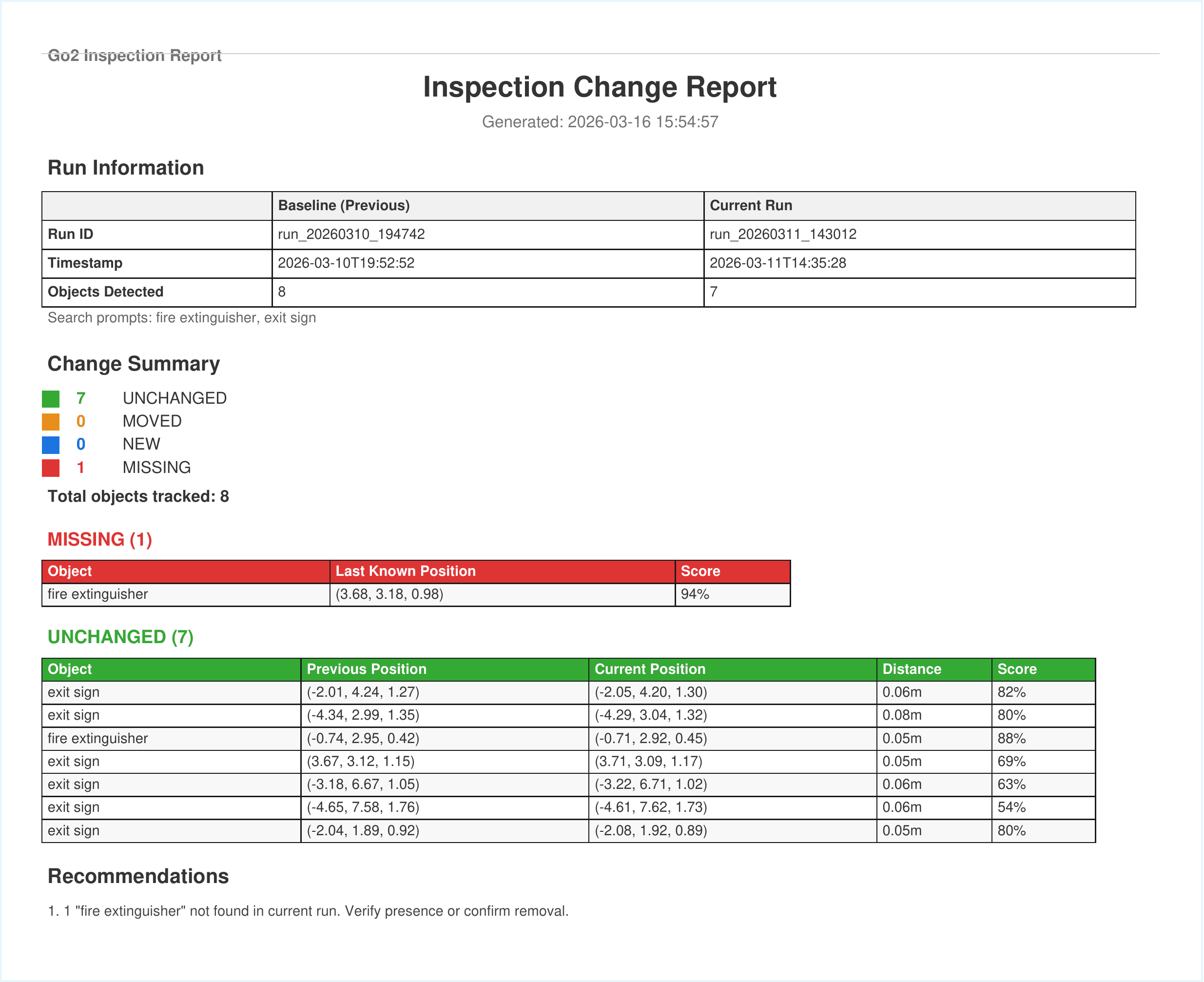
Sample inspection report comparing two runs, with change detection summary.
Hardware & Sensor Integration
The Unitree Go2 communicates via its Sport API, with custom bridge nodes converting odometry to TF transforms and motor encoder data to joint states for RViz. Multiple restamper nodes fix clock drift between the Go2's internal clock and the host PC for every sensor stream. A specialized camera sync restamper ensures RGB and depth frames share identical timestamps, which is critical for RTAB-Map's visual feature extraction.
Results
The robot successfully maps indoor environments and produces usable 2D occupancy grids and 3D point clouds. SAM 3 reliably detects prompted object categories with confidence scores typically above 80% for clear views. Spatial deduplication reduces redundant detections into single map-frame positions, and the change detection pipeline correctly identifies unchanged objects on repeat visits. Frontier exploration enables fully autonomous room coverage without manual waypoint placement.
Challenges & Lessons Learned
Challenge 1: Motion Control Bridge
The Go2 doesn't accept standard ROS2 velocity commands natively; Unitree's SDK expects its own Sport API format over a JSON-encoded topic. I wrote a custom bridge (cmdvel_to_sport_bridge) that translates Nav2's /cmd_vel output, while also handling startup sequencing (the robot must stand before accepting motion), implementing a command timeout that publishes zero-velocity on inactivity, and clamping velocities to safe physical limits. The real engineering was in these edge cases around startup state and safety limits, not the protocol translation itself.
Challenge 2: Timestamp Synchronization
Timestamp synchronization between the Go2 and host PC caused SLAM and navigation to fail silently with no clear error, just dropped messages. I solved this by writing dedicated restamper nodes for every sensor stream to re-stamp messages with the PC's clock before they reach RTAB-Map or Nav2. This taught me how critical time synchronization is in multi-machine ROS2 systems.
Challenge 3: Wireless Network Configuration
With a router mounted on the Go2, my PC's two WiFi interfaces caused DDS discovery to use the wrong one. I configured CycloneDDS to explicitly bind to the correct interface and added peer discovery for the Go2's IP. Large camera images (~900KB) also stalled over WiFi, which I resolved by lowering resolution to 424x240, reducing framerate to 6fps, and using best-effort QoS. Wireless ROS2 requires careful attention to both DDS configuration and message size.
Challenge 4: Sensor Selection
Choosing between the depth camera and 3D lidar for the point cloud required experimentation. The RealSense gives color and works well for close obstacles but has a narrow field of view, while the Unitree L2 lidar provides 360-degree coverage but no color. I settled on lidar as the primary source for SLAM and navigation, with the depth camera reserved for SAM segmentation. This taught me to match sensor strengths to specific tasks rather than trying to use one sensor for everything.
Challenge 5: Point Cloud Filtering
Raw point clouds include ground points, noise, and the robot's own body, which cause the costmap to see obstacles everywhere. I built a point cloud refiner that removes ground points by height, applies voxel downsampling, and clusters nearby points to identify real obstacles. Tuning the parameters (ground height, voxel size, cluster size) taught me how much preprocessing raw sensor data needs before it becomes useful.
Challenge 6: Hardware vs. Simulation Calibration
The real robot's UTLidar pitch transform (2.878 radians) differs from the simulation default, causing ground points to project into the obstacle zone and blocking all navigation. Fixing the URDF resolved it. The takeaway was to never assume simulation parameters transfer directly to hardware.
Challenge 7: Depth Sensor Noise in 3D Detection
Depth-based 3D positioning for object detection has inherent noise of 0.5 to 1.0 meters depending on distance and surface, so the same object detected twice can appear at slightly different positions. Setting generous deduplication thresholds (0.5m) prevents duplicate logging while still catching real changes. This reinforced the importance of accounting for sensor uncertainty in perception pipelines.
Future Work
Planned improvements include integrating visual SLAM mode for dense textured 3D building models, tying frontier explorer start/stop to the launch file, expanding detection prompts to additional safety equipment categories, implementing viewpoint-aware change detection that only marks objects as missing if the camera had line-of-sight to the baseline position, and adding a web dashboard for remote inspection monitoring and report viewing.